Subscriptions
The Subscriptions tab displays all active user software subscriptions. It is used to help define rules for software that users can run under the subscription on assets where they are the primary user.
A subscription rule is used to define the number of devices that software with a user based license can be installed on under a single license. This allows a single user to install the software on a limited number of their primary devices. Please note: users are assigned as the primary user of a device in the See also: Assets..
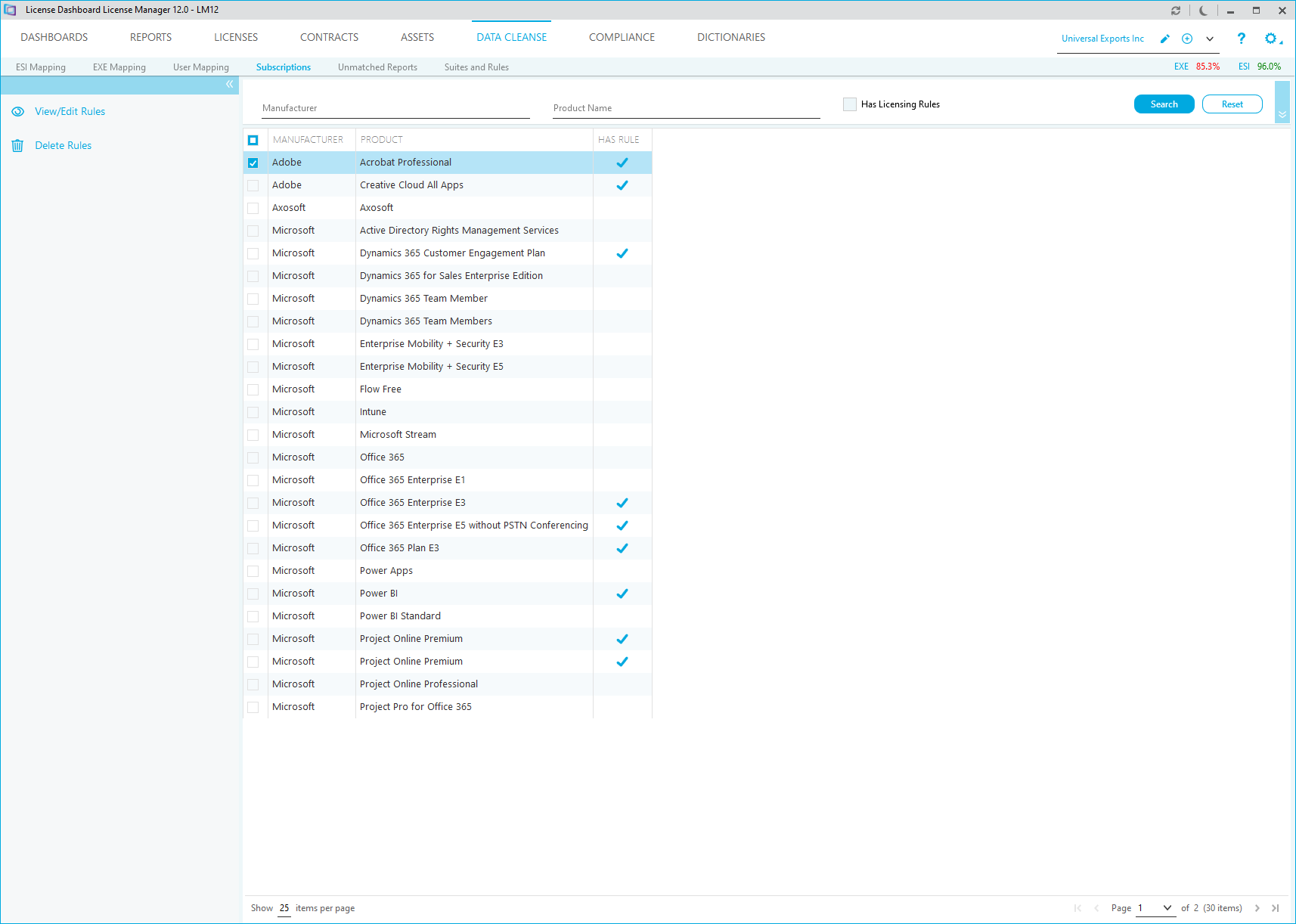
How to create a subscription rule
- Double click on the product that you want to create the subscription rule for.
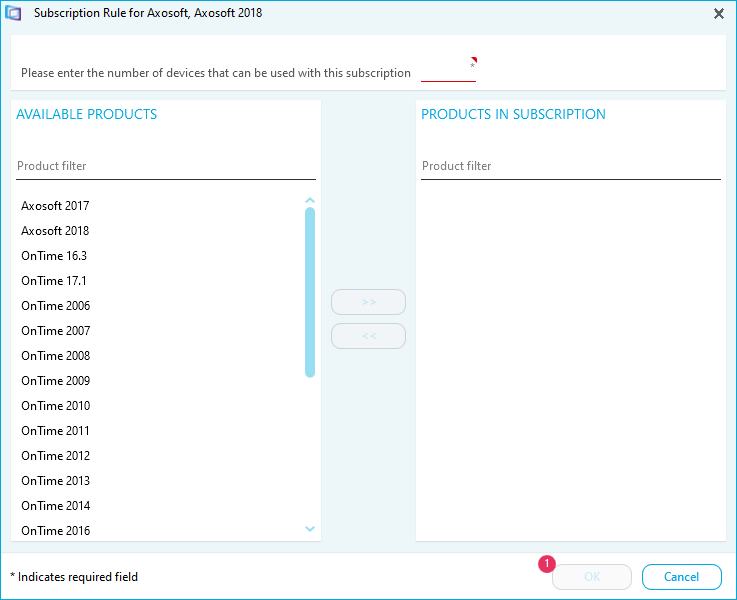
- Type the number of devices that can be used with the subscription
- Select an available product that are included in the subscription and click the add icon to add it to the Products in Subscription list
- Repeat the previous step to add all the relevant products
- Click OK