Users Tasks
There are several users tasks.
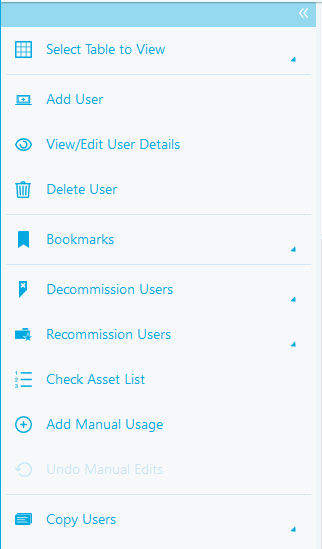
There are three main tasks in the users tab.
- The Select Table to View task allows you to add and load different views of the page.
- The Add User task allows you to add a user.
- The View / Edit User Details task allows you to view and edit the details of any user.
- The Delete User task allows you to delete an asset.
- The Bookmarks task allows you to add a bookmark to users
- The Decommission Users task allows you to mark an asset as decommissioned
- The Recommission Users task allows you to recommission a decommissioned asset
- The Check Asset List task allows you to compare live assets with a list of known users.
- The Add Manual Usage task allows you to manually add software usage to assets
- The Undo Manual Edits task allows you to reset any changes made to the data after it was imported
- The Copy Assets tasks allows you to copy data from the table